
Run the workday from quote to paid.
TradesMgr gives solo operators and small field-service crews one practical place to quote work, schedule by capacity, route each day, keep customer details together, invoice, and follow up.
Request App Current app screens shown with fictional example customers and jobs. Select any image to open the full-resolution version.Quote & win work
Build the scope from your price book, send clear terms, and turn an accepted proposal into scheduled work.
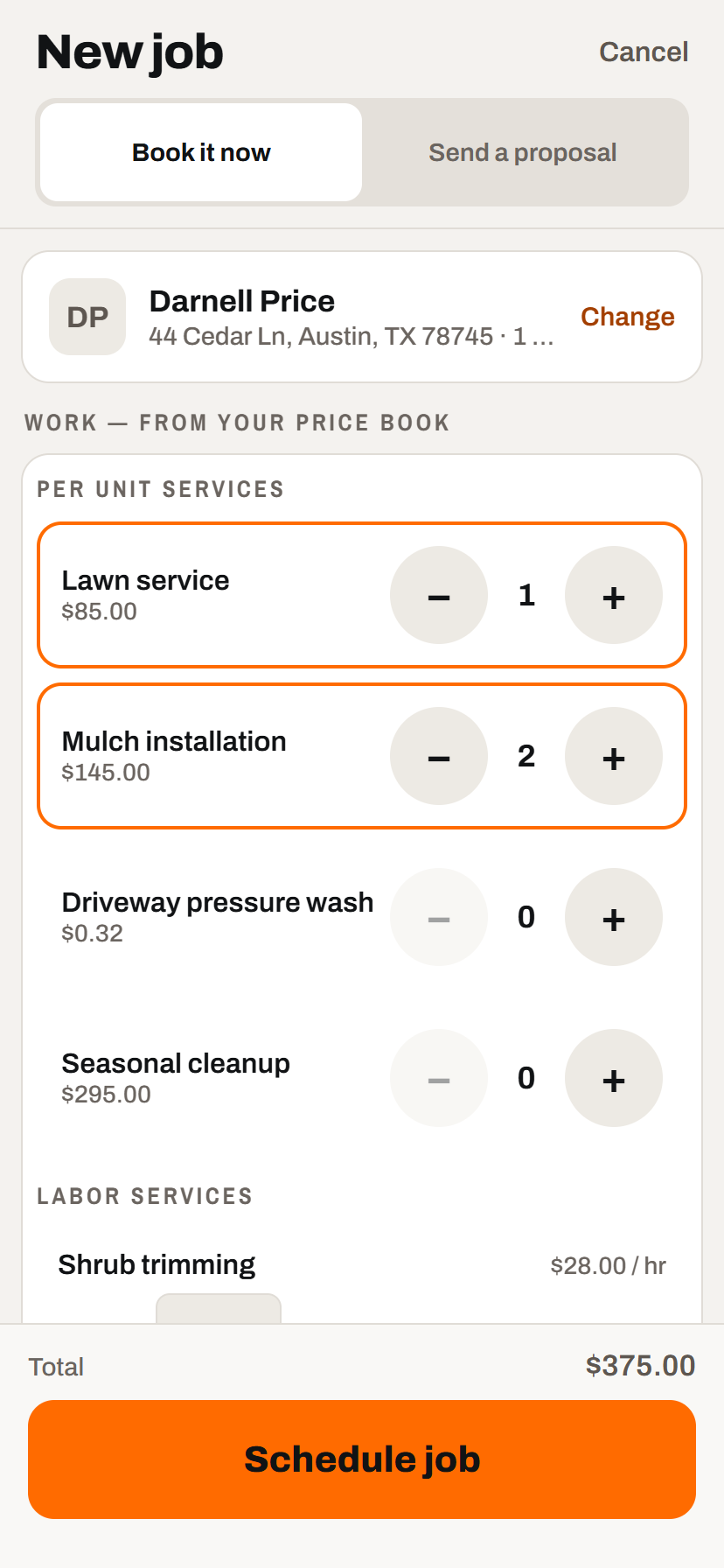
Build a quote from your price book
Pick the customer, tap the work they need, and see the price and time estimate while you are still talking.
- Use the unit that fits the work. Flat, each, linear foot, square foot, cubic yard, or hourly pricing.
- Choose the next step. Book a straightforward job immediately or turn the same scope into a proposal.
- Capacity stays visible. Pick a crew and date with the existing day load in front of you.
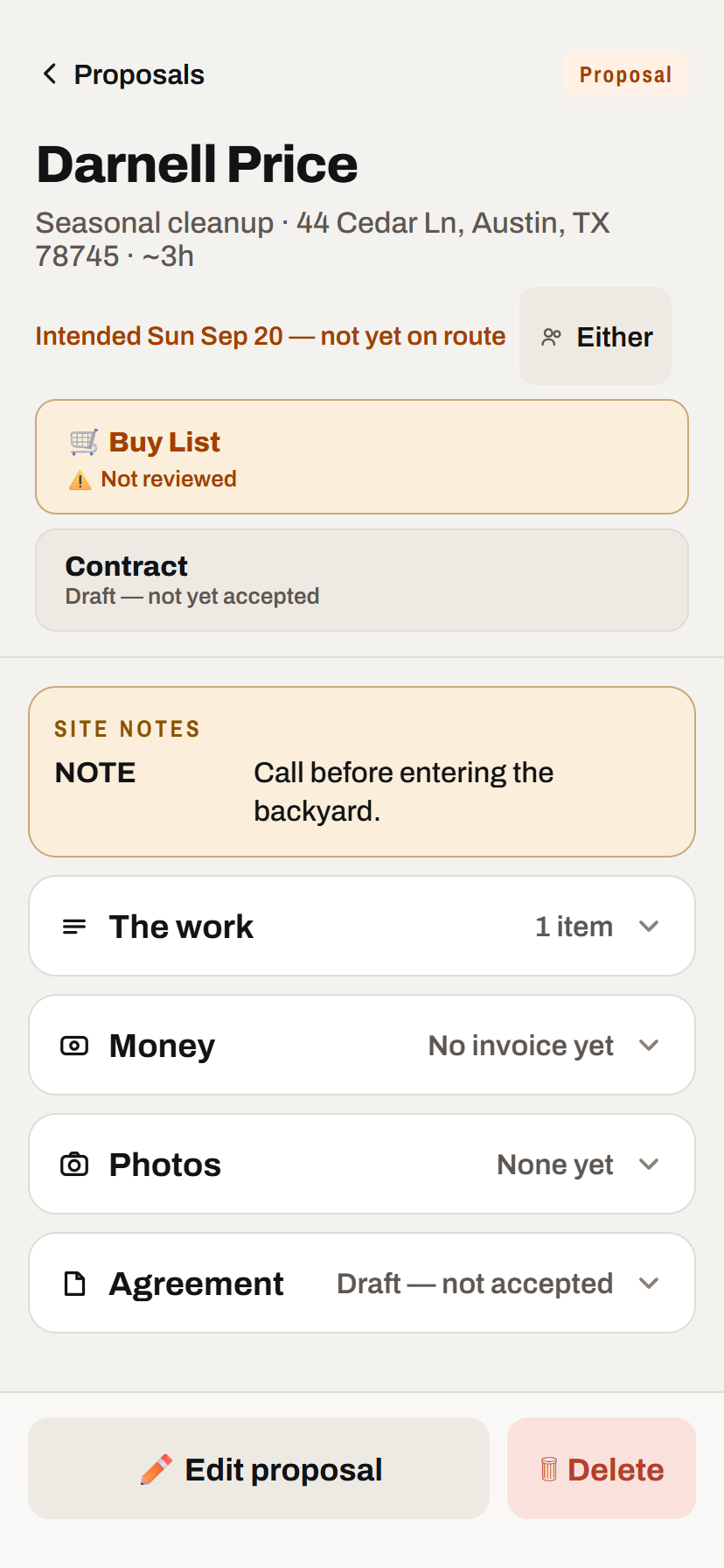
Keep the whole proposal together
Scope, site notes, intended date, price, contract terms, photos, and acceptance status stay on one record.
- Reusable contract language. Start with your saved boilerplate and quick-add clauses instead of rebuilding terms each time.
- Send by email or text. Customers receive a phone-friendly link and can review without installing an app.
- One clear status. See whether the proposal is still a draft, waiting, accepted, or ready for its next action.
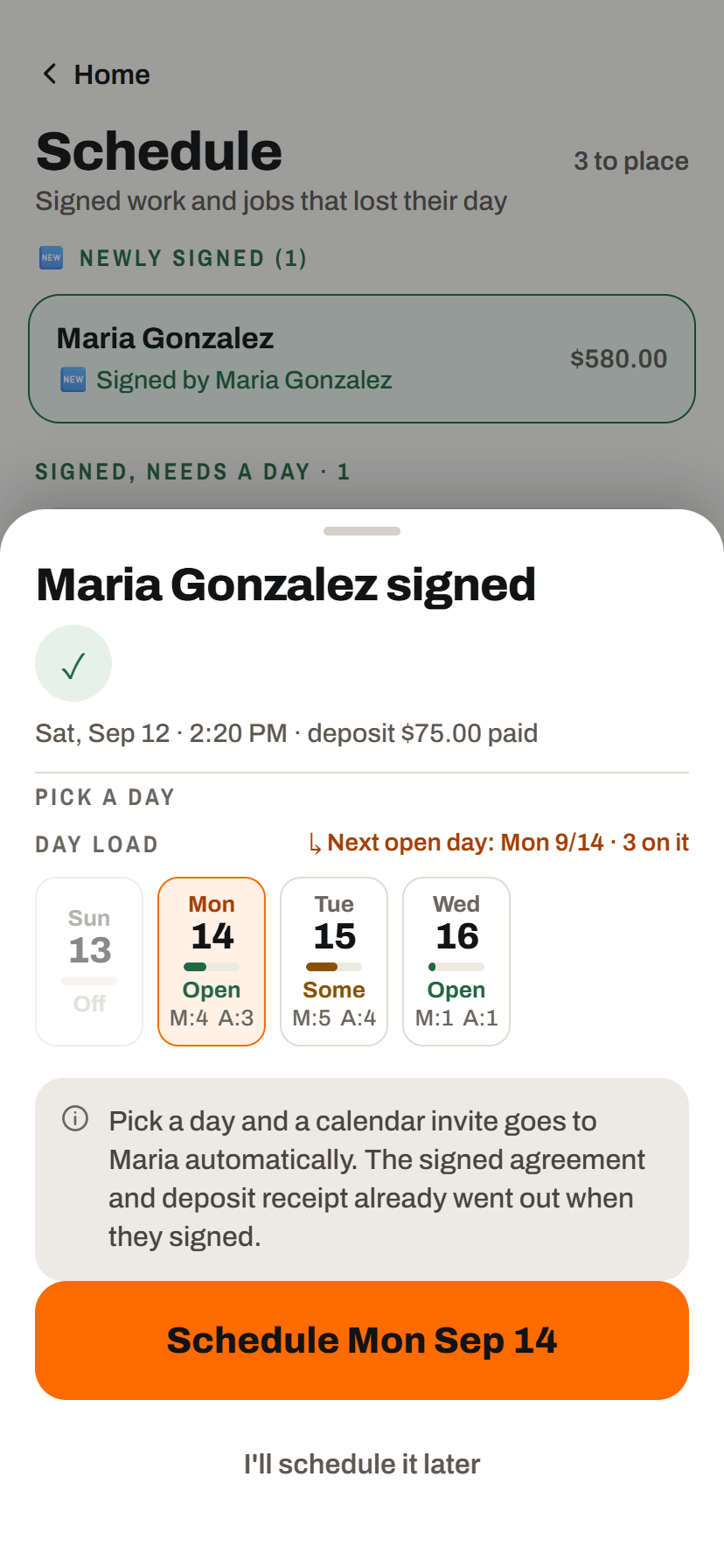
Accepted work gets the right next step
A proposal with a date schedules automatically when accepted. Without a date, it waits in Schedule Job for you to place.
- No app for the customer. They review and accept from the secure link on their phone.
- Next open day suggested. For undated work, crew load is shown before you commit the date.
- Calendar invitation prepared. When the customer has an email address, TradesMgr opens a ready-to-send invitation with the visit details.
Run the day
Know what is scheduled, who is doing it, what the customer said, and what still needs attention.
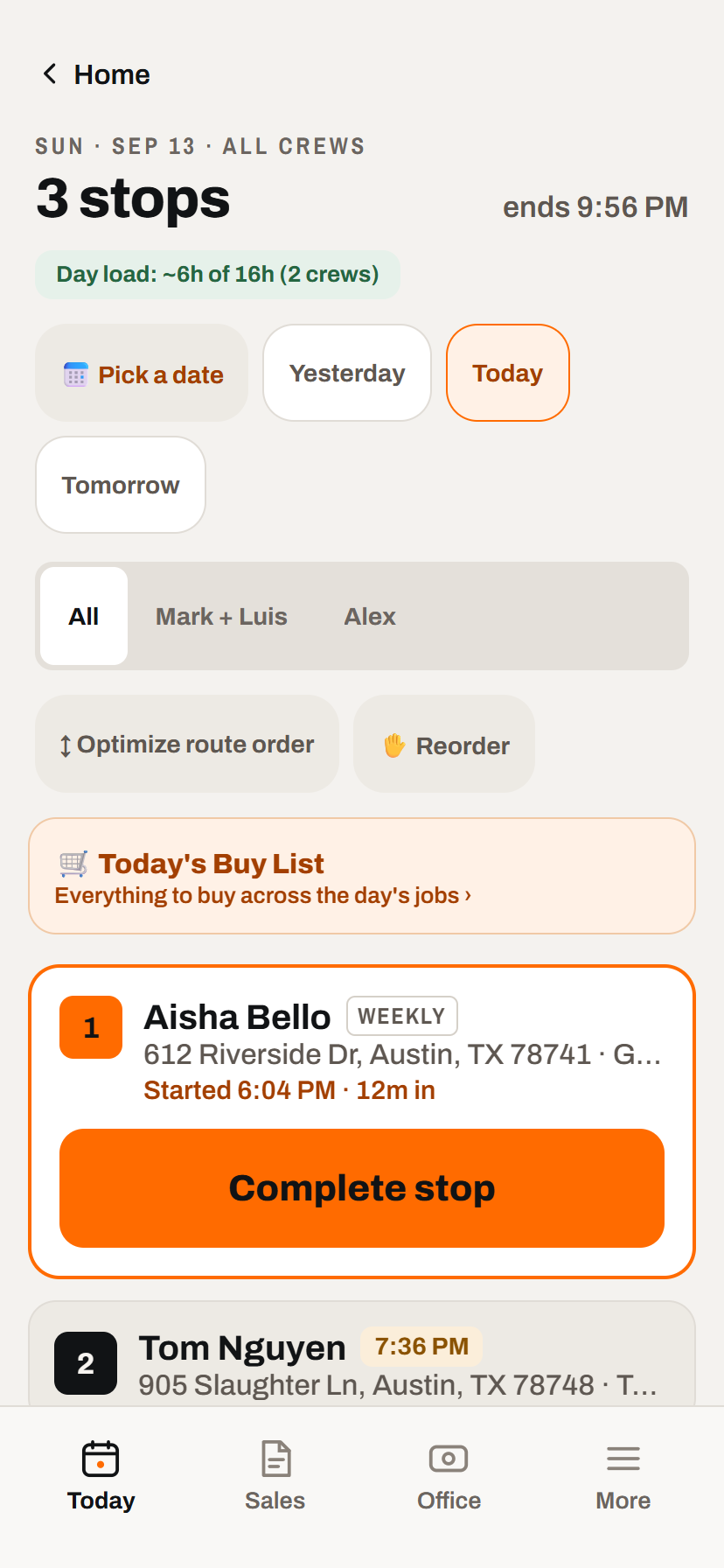
Run one route or filter by crew
See the day's stops in working order, with timing and customer context where the crew can use it.
- Optimize or reorder. Let TradesMgr arrange stops by drive time, then make a manual adjustment when the real world calls for one.
- Directions from the stop. Open turn-by-turn navigation without retyping the address.
- Notes travel with the job. Gate codes, pets, parking, and access instructions are visible before arrival.
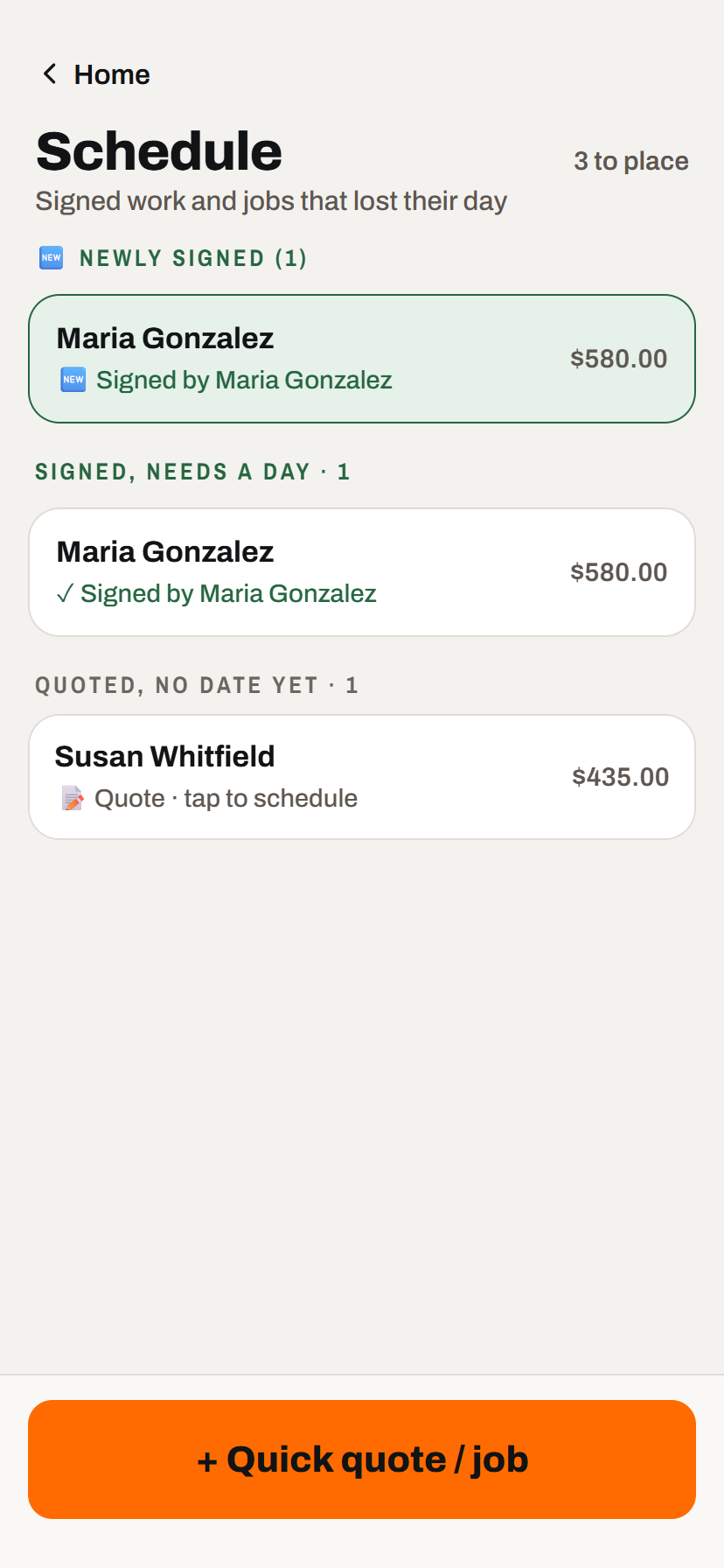
Nothing waiting for a date gets buried
Newly accepted work, signed jobs that still need a day, and unscheduled quotes are separated into a short action queue.
- Signed work is called out first. You can tell what became bookable since your last visit.
- Open, busy, full, or over. The date picker compares estimated work with each crew's daily capacity.
- Quotes can stay date-free. Keep an intended date without putting unapproved work on the route.
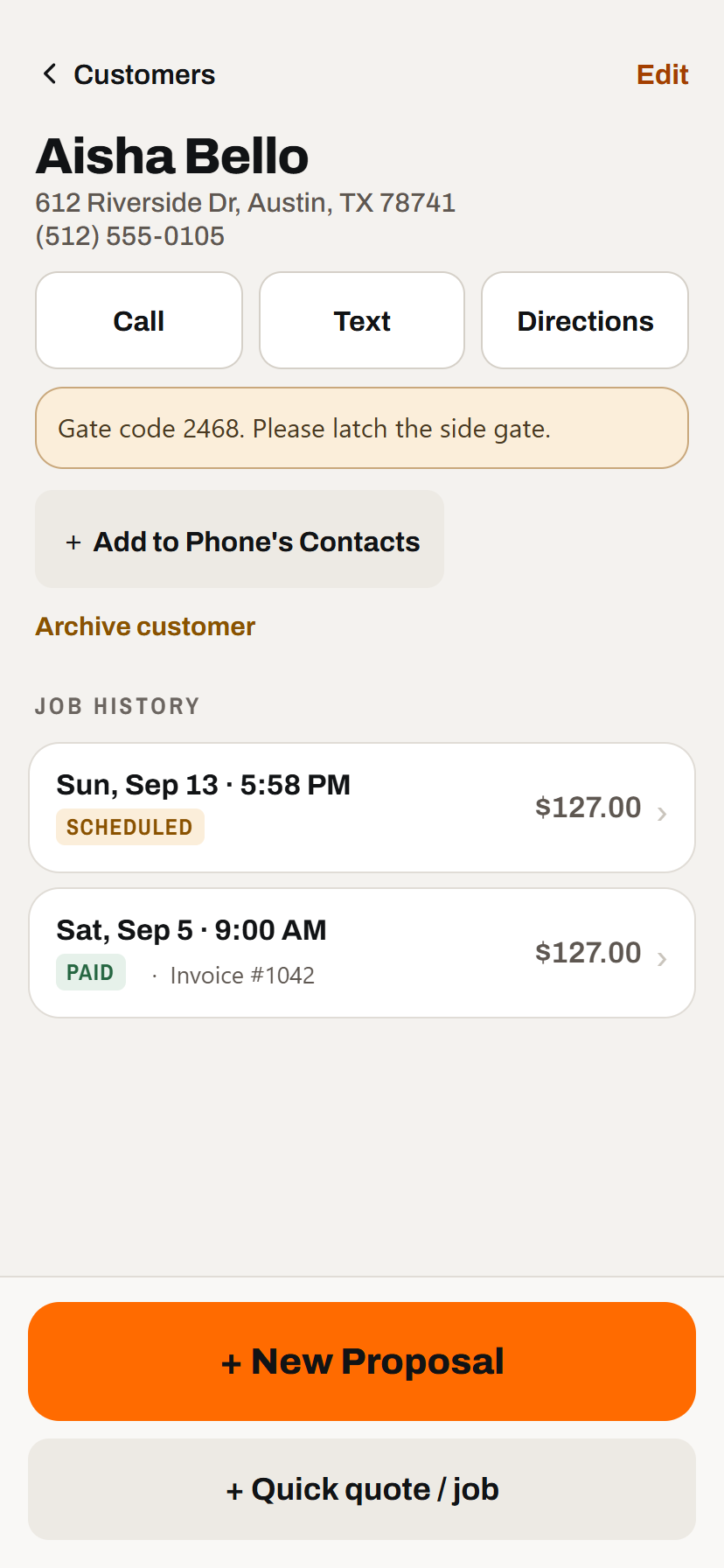
Customer context before you call or arrive
Contact information, service address, access notes, and job history stay together.
- Call, text, directions, or save the contact. Common field actions are available from the customer record.
- See paid and upcoming work. Job and invoice status are visible without searching separate lists.
- Start the next job in place. Create a proposal or quick quote without selecting the customer again.
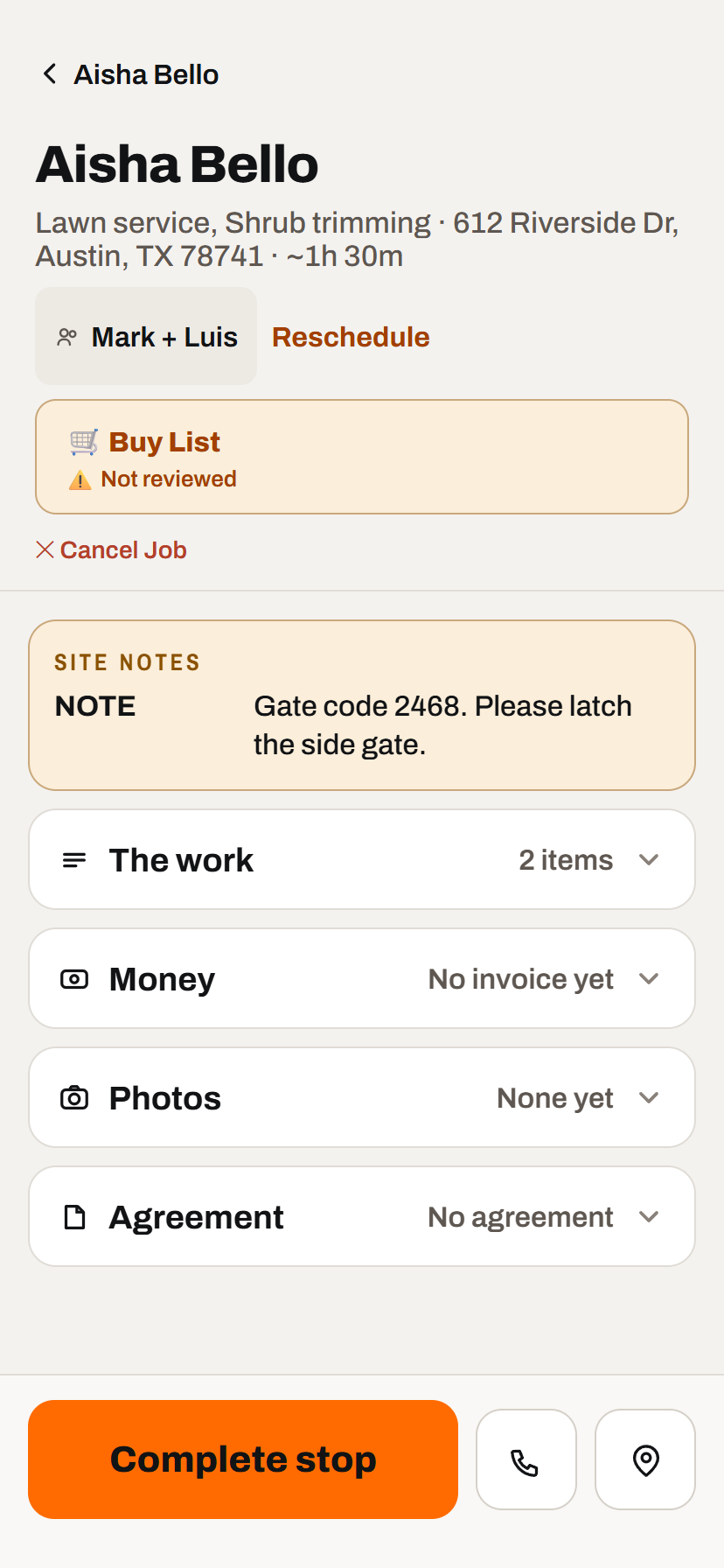
One record from arrival through completion
The scope and site notes are in front of the crew; time, photos, materials, agreement, and billing stay attached behind the scenes.
- Start, stop, and finish in the field. Use the timer or enter time manually when needed.
- Document the work. Add before, during, and after photos with notes and timestamps.
- Move forward from the same screen. Review materials, complete the stop, then bill the finished job.
Materials & Buy List
An optional layer that converts scheduled quantities into one practical shopping list.
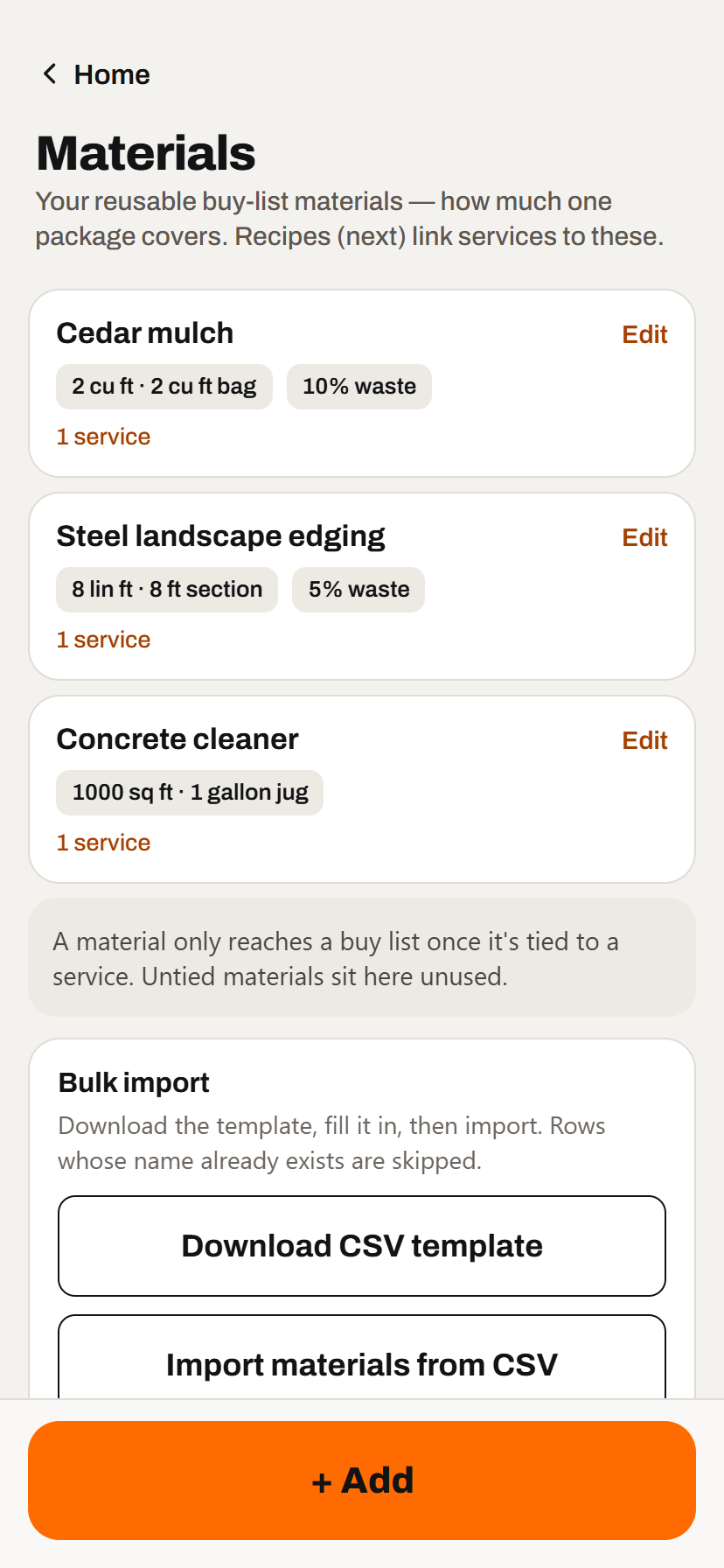
Teach TradesMgr how you buy materials
Set package coverage, waste, and the services that use each material once.
- Use real package sizes. Bags, sections, jugs, rolls, tons, pallets, or your own label.
- Link material recipes to services. A measured job can calculate packages automatically.
- Import a starting catalog. Add a larger materials list by CSV instead of typing every row.
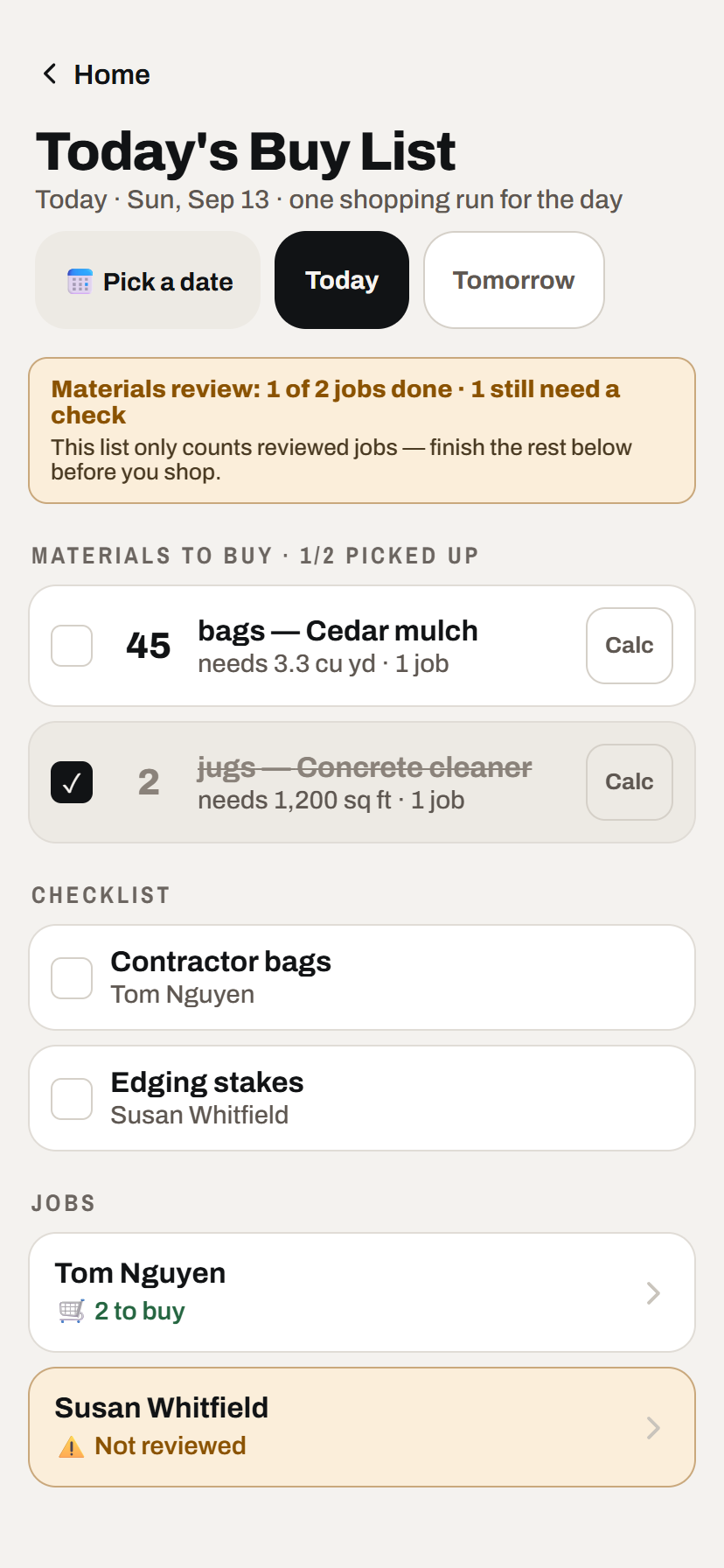
One shopping run for the day
Review the jobs first, then combine their calculated packages and one-off extras into a single checklist.
- Calculated and manual items together. Add supplies a service recipe does not cover.
- Know what was reviewed. The list warns when a scheduled job still needs a materials check.
- Check off the shopping run. Package counts and extras stay usable at the supplier counter.
Billing & follow-up
Bring in the lists you already have, see what is owed, and know exactly who needs a nudge.
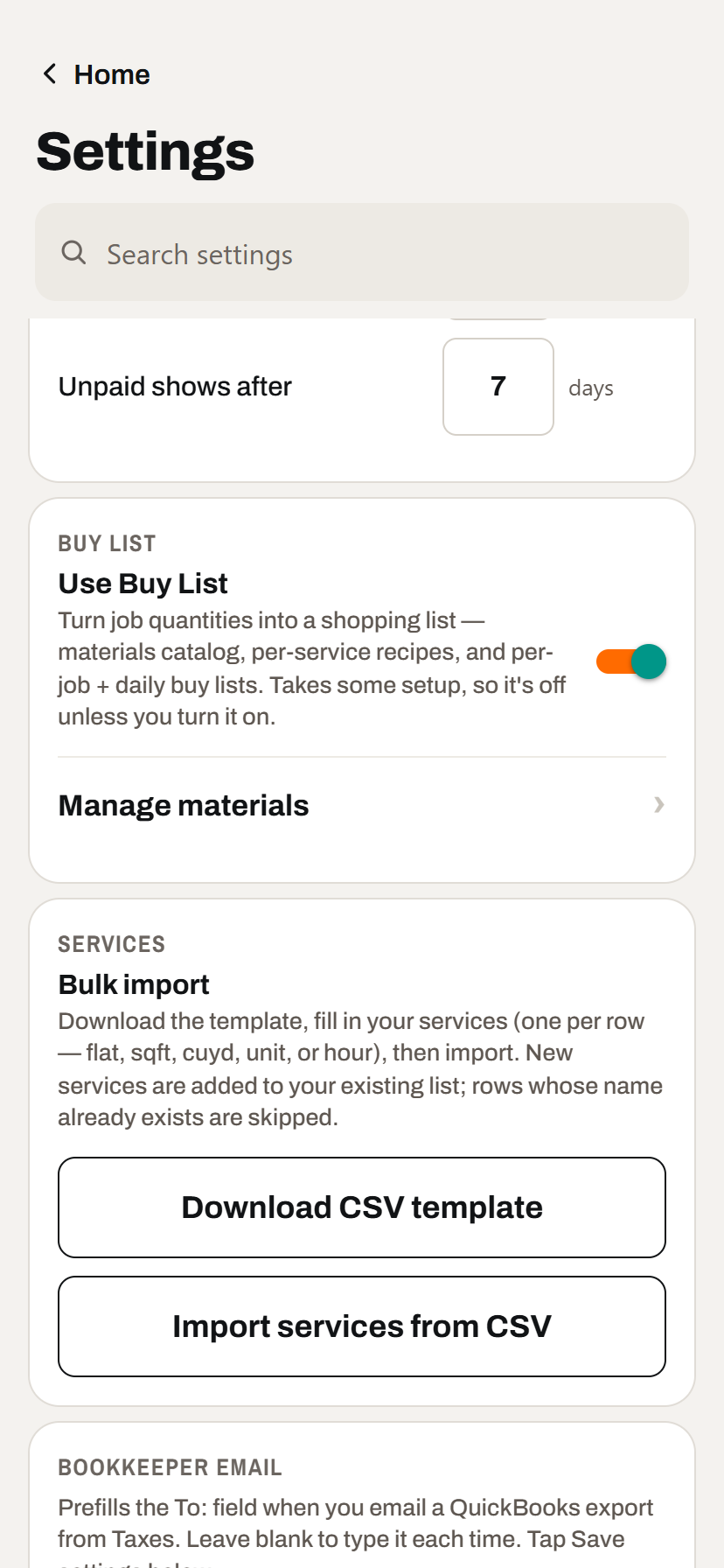
Set up the way your business already works
Capacity, working days, follow-up timing, service prices, materials, and customer imports all have sensible starting points.
- Import instead of retyping. Load services and materials from templates, plus customers from CSV, contacts, or a QuickBooks export.
- Duplicates are skipped. Existing entries remain in place instead of being created twice.
- Use practical defaults. Adjust only the schedule and reminders that differ for your shop.
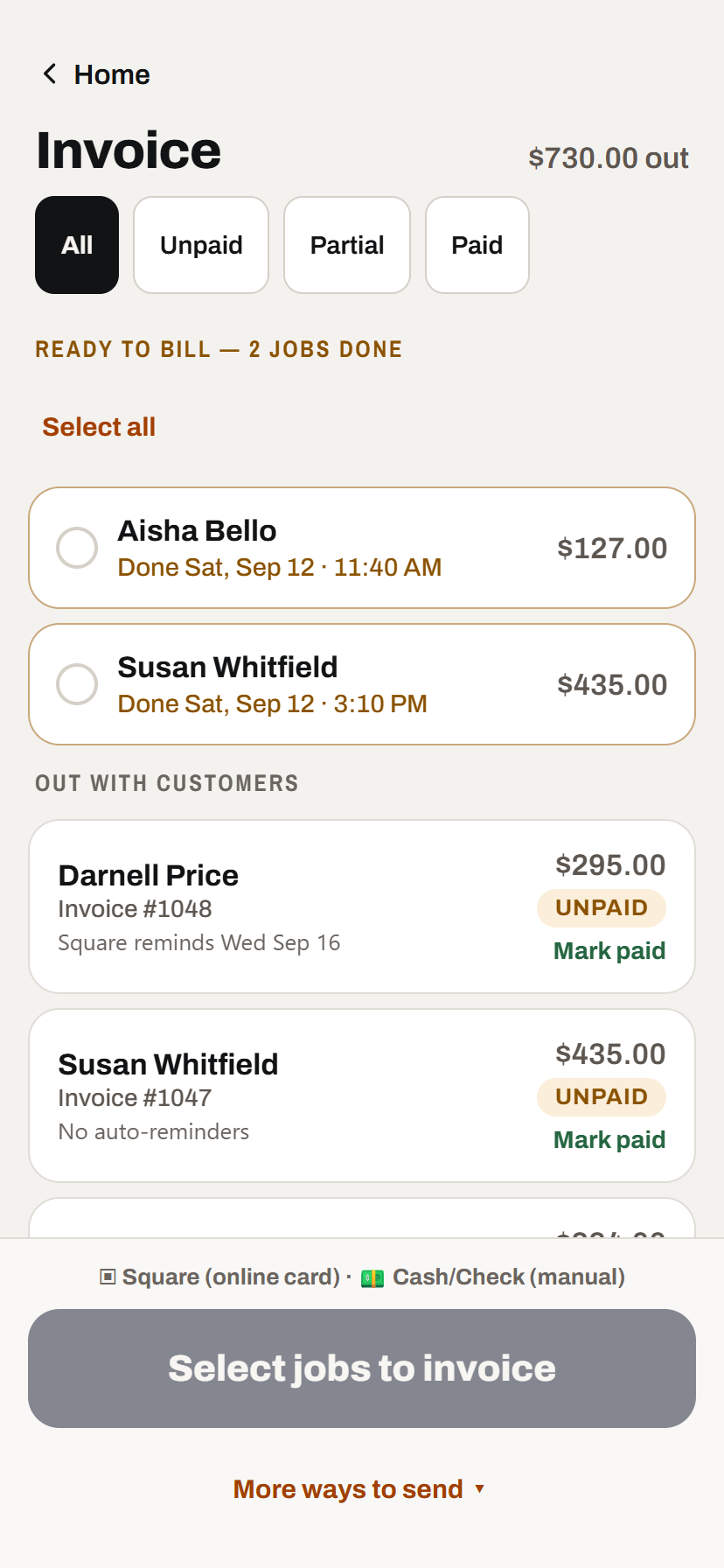
See ready, outstanding, and paid work
Finished jobs become ready to bill, while sent invoices show what remains due and whether a reminder is scheduled.
- Use Square for online cards. Send a hosted invoice and payment link from the job.
- Keep cash and checks in the same view. Send your own PDF invoice and record payment when it arrives.
- Filter by status. Focus on unpaid or partial balances without losing the paid history.
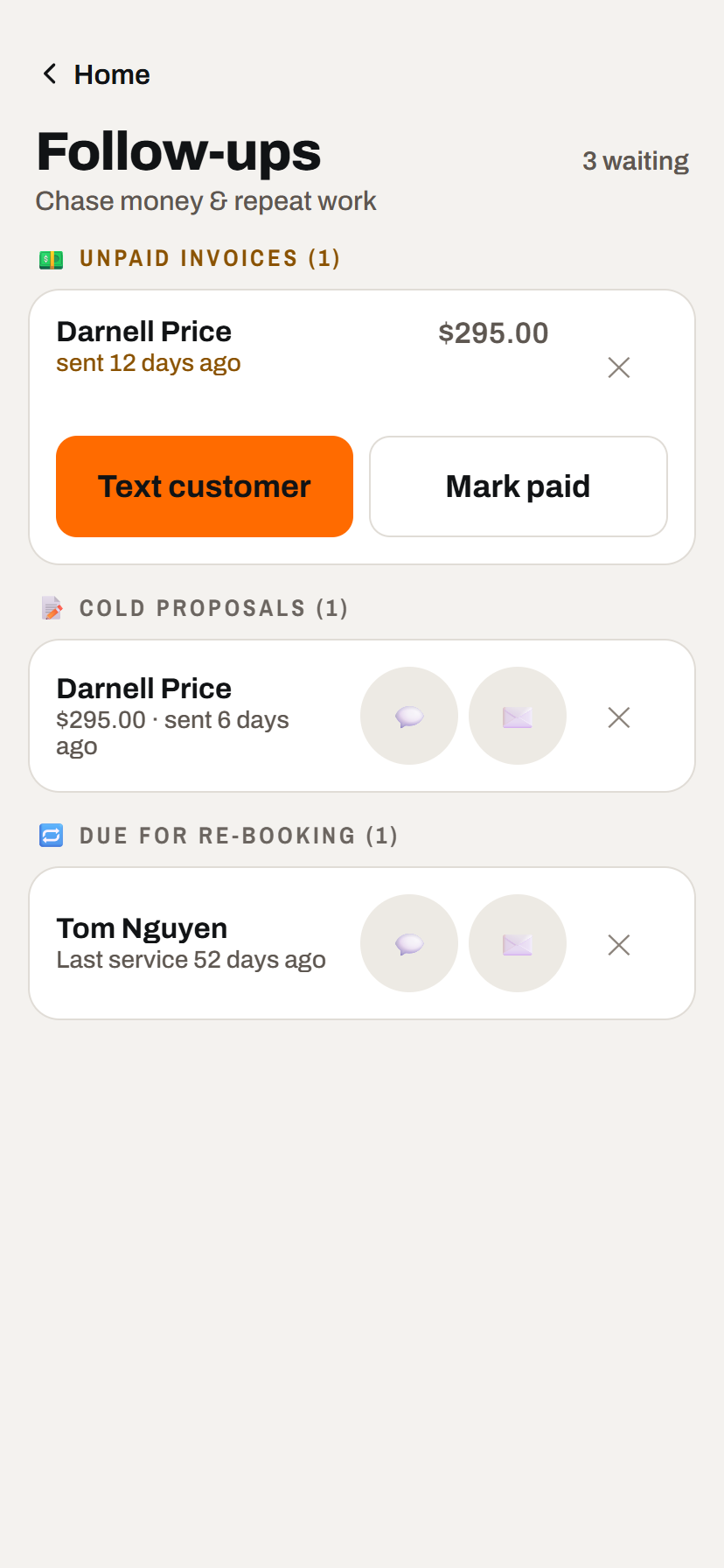
Follow up from a short, useful list
TradesMgr surfaces money and repeat work that can otherwise disappear into yesterday's messages.
- Unpaid invoices. See the balance and age, then text the customer or record payment.
- Cold proposals. Contact the customer while the quote is still worth recovering.
- Rebooking opportunities. Reach recurring customers when their usual service interval has passed.
Know your numbers
See what the work returned after materials and keep a clean annual record for your bookkeeper.
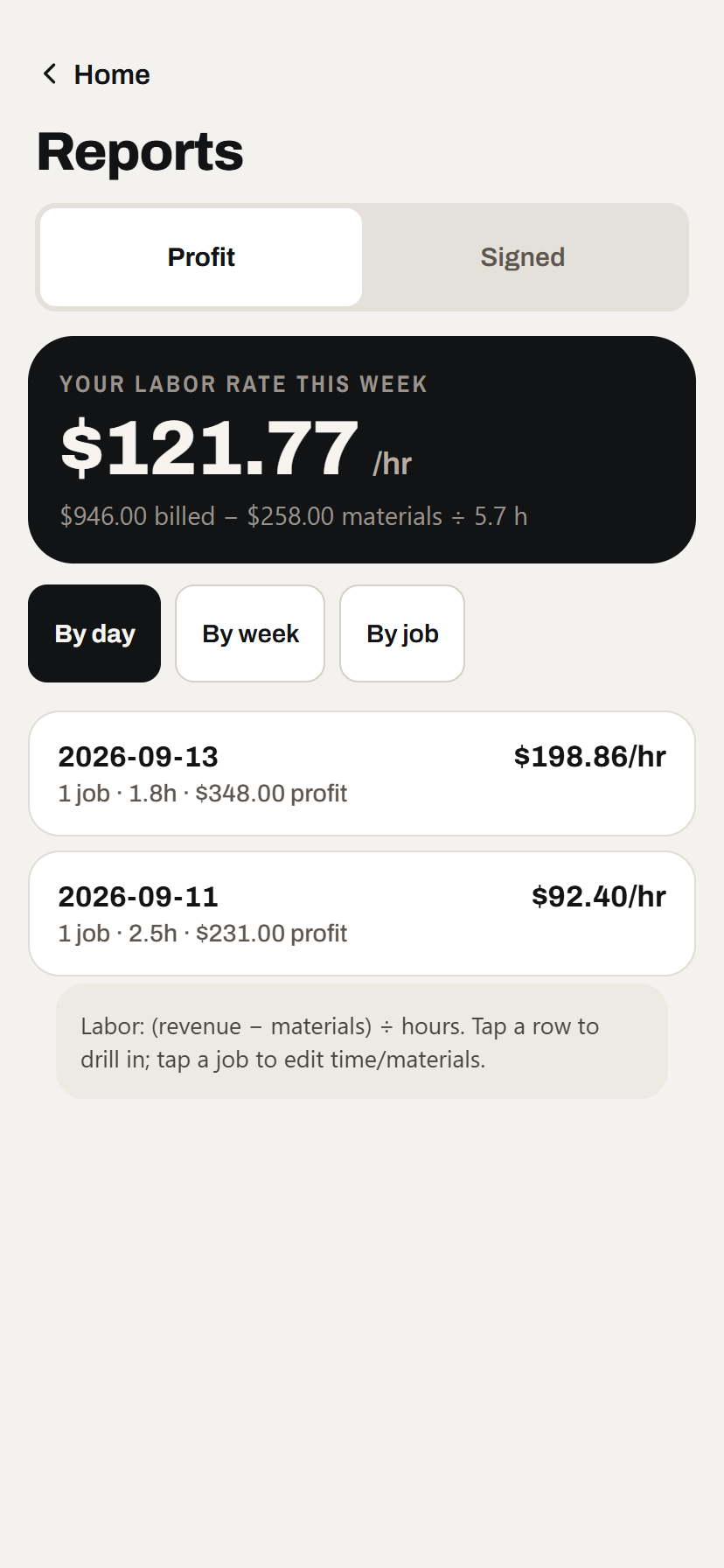
See the return on your labor
TradesMgr divides revenue after materials by logged hours, so a busy day does not automatically look like a profitable one.
- Job, day, and week views. Move from the weekly result to the work that produced it.
- Materials stay visible. Revenue is not presented as profit when part of it went straight back to supplies.
- Signed-work view. Track recently accepted work and recurring agreements separately from completed-job profit.
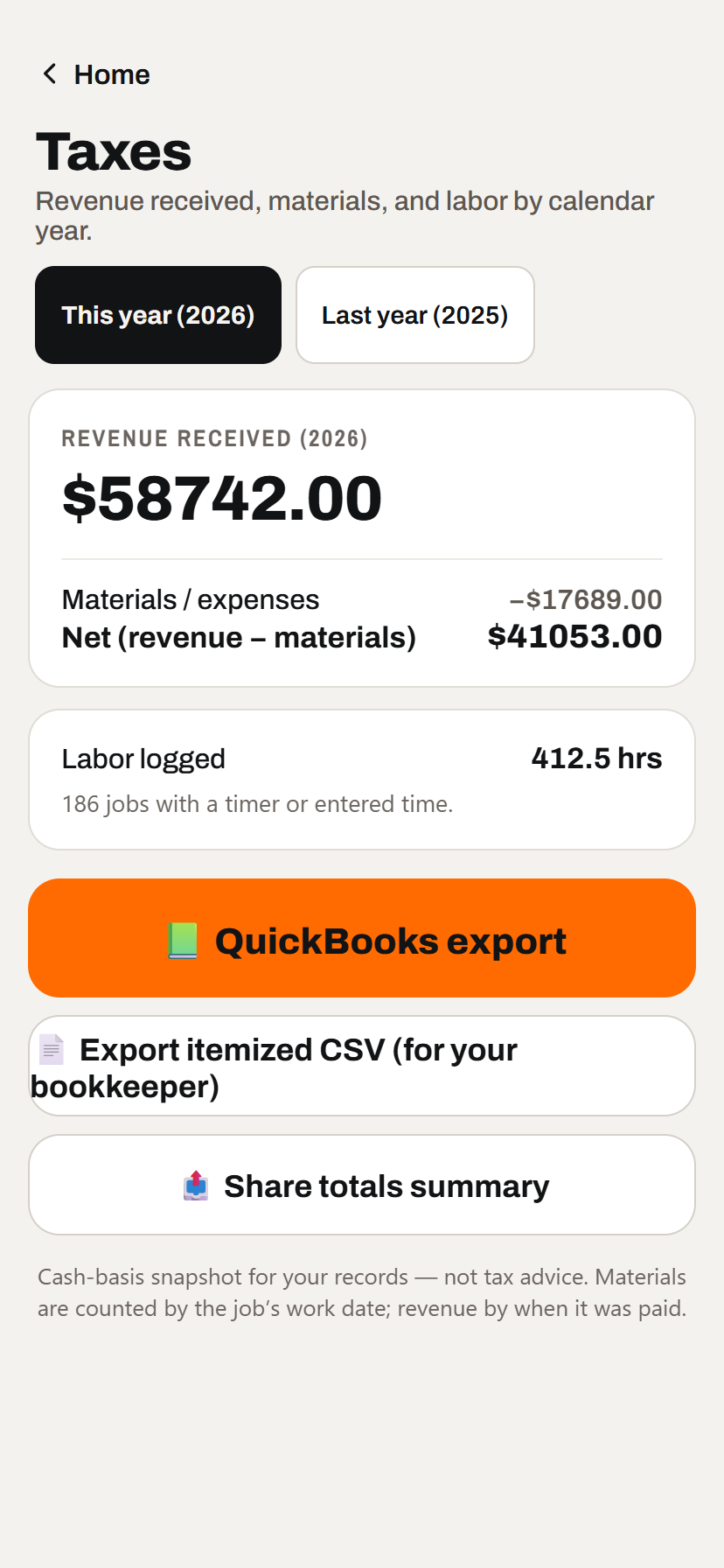
Give your bookkeeper a cleaner handoff
Use the annual cash-basis summary for reference, then export the itemized records instead of rebuilding them at tax time.
- Revenue received, materials, and labor by year. Switch between this year and last year from the same screen.
- Itemized CSV and QuickBooks exports. Share the underlying lines, not only a screenshot of totals.
- Plain limits. The screen identifies itself as a recordkeeping snapshot, not tax advice.
Built for every crew
The operating interface itself can switch languages; this is not only a translated sales page.
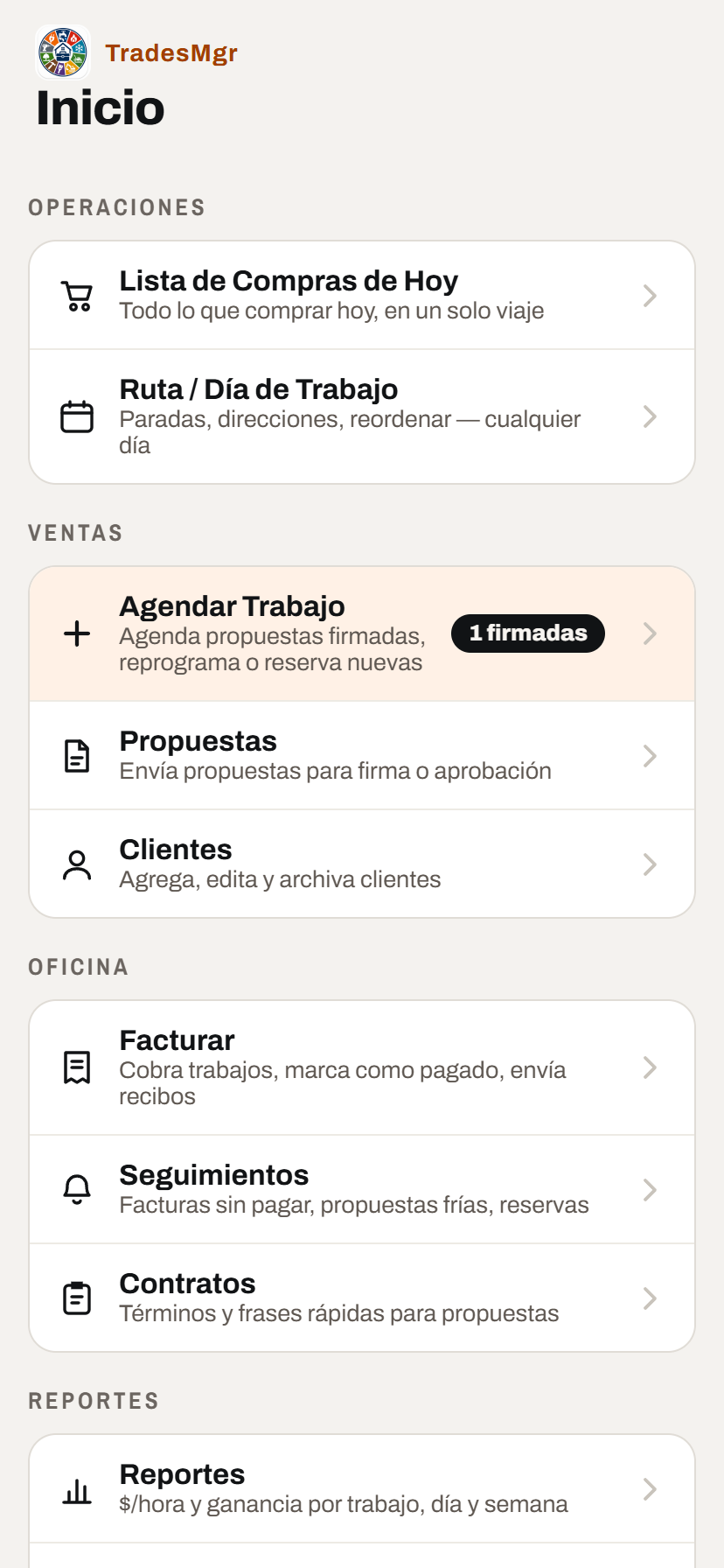
Bilingual operator UI
Switch the app between English and Español from Settings on the device each crew member uses.
- Use the preferred language on each phone. One crew member can work in Spanish while another uses English.
- The daily workflows are translated. Route, sales, invoicing, reports, setup, and the in-app manual are translated too.
- Customer documents stay in English. Changing the operator interface does not unexpectedly rewrite what customers receive.
Best fit
For an owner in the field, one helper, or a few crews that need coordination without a full office system.
Especially useful when several short jobs, repeat visits, and follow-ups compete for attention each week.
Lawn care, cleaning, painting, handyman work, exterior cleaning, and similar field services.
Use Square-backed online invoices when useful, while keeping manual cash and check payments in the same workflow.
Spend less of the evening reconstructing what happened in the field. TradesMgr keeps the next action visible from the first quote through payment and rebooking.
Request App